"Virtual staging" and "AI renovation preview" sound like the same thing. Both start with a photo of a real room, and both end with a better looking version of it. But they solve different problems at different points in a listing, and mixing them up can mislead buyers or set the wrong expectations with sellers.
Here is a plain breakdown of what each one does, when to use it, and how to use both honestly.
At a glance:
- Purpose. Staging markets the home. A renovation preview helps plan the work.
- Who sees it. Staging is for buyers. A renovation preview is for your seller and, later, your contractors.
- When. Staging shows up in the listing, after prep is done. A renovation preview shows up at the listing appointment, before any work starts.
- What changes. Staging adds furniture and decor. A renovation preview changes the finishes: paint, flooring, lighting, cabinets and fixtures.
What virtual staging does
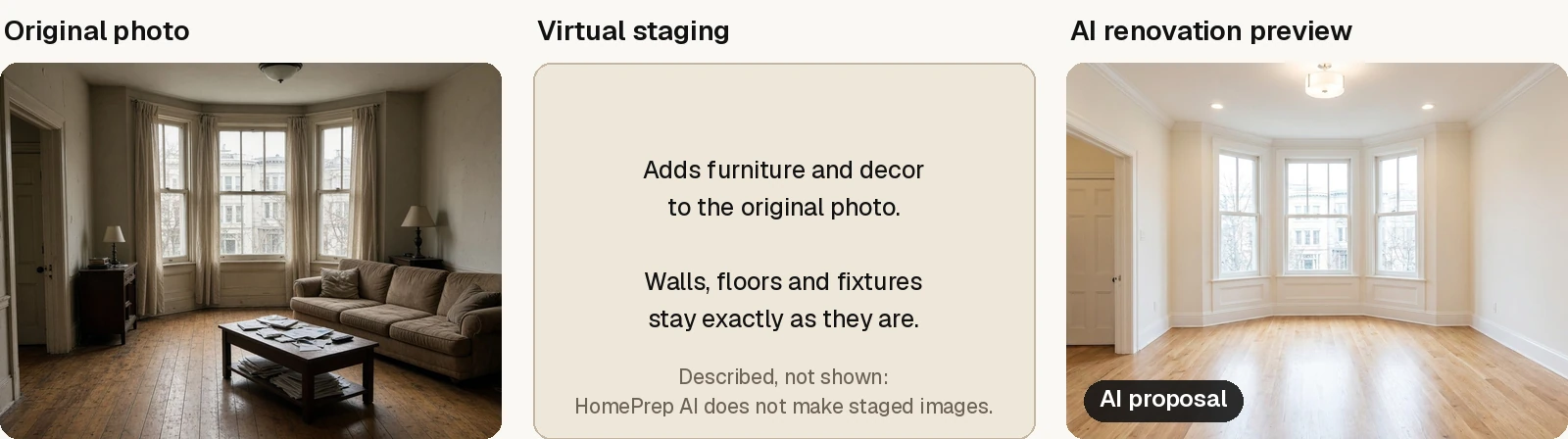
Virtual staging adds furniture and decor to a photo of a room. The walls, floors, cabinets and fixtures stay exactly as they are. An empty living room gets a sofa, a rug and some art. A vacant bedroom gets a bed and nightstands.
Its job is marketing. It helps buyers scrolling listing photos understand the scale of a room and imagine living there. It is most useful when a home is vacant and the rooms are already in decent shape.
What an AI renovation preview does
An AI renovation preview changes the room itself. It shows what the space could look like with new paint, different flooring, updated cabinets, new lighting or other finishes, using a photo of the actual room as the starting point.
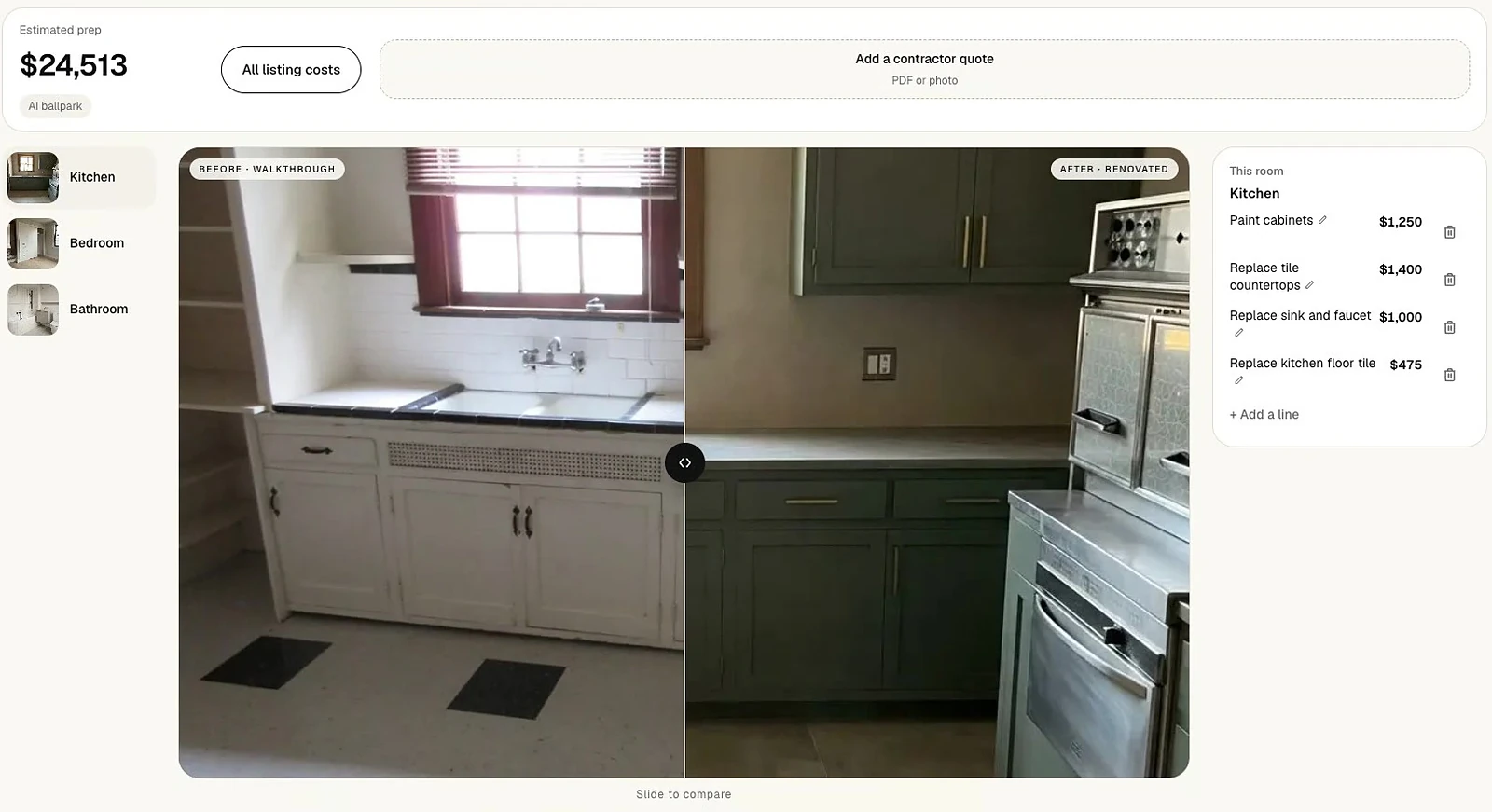
Its job is planning. It helps a seller picture the result of work they haven't done yet, so they can decide whether it's worth doing. Paired with cost estimates, it turns a vague suggestion like "you might update the kitchen" into a concrete choice.
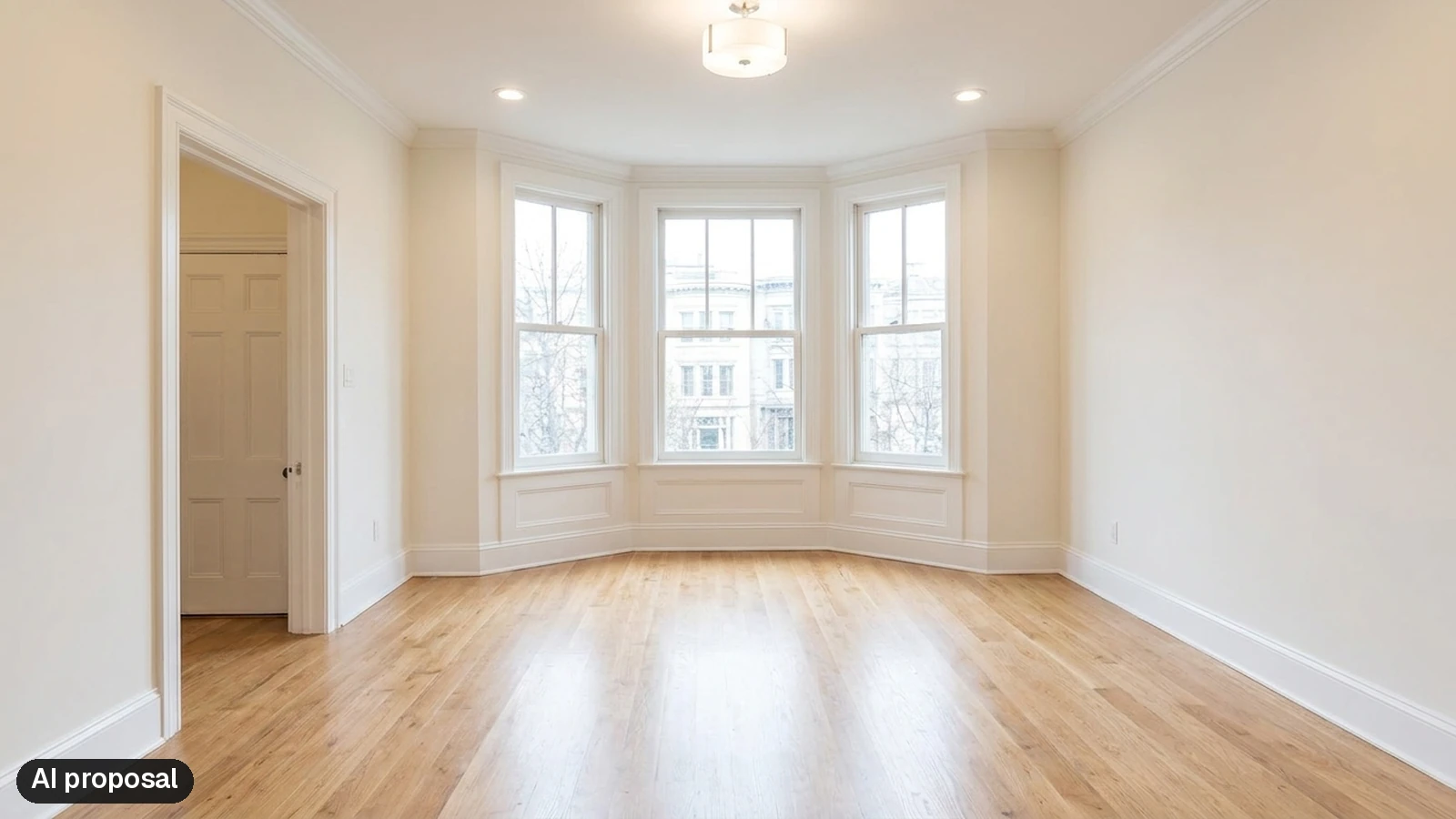
HomePrep AI goes a step further and shows each room empty, as a renovated shell with no furniture or decor. That keeps the conversation on the finishes and the cost to get there, not on the sofa.
Planning tool vs marketing tool
The easiest way to keep them straight:
- Staging helps buyers picture living there. It shows up in the listing, after the prep is done.
- A renovation preview helps sellers and agents decide what to change. It shows up at the listing appointment or right after, before any work starts.
One sells the home. The other helps you decide what to do to it.
When to use each
A few common situations:
- Furnished home, dated finishes. Start with a renovation preview to help the seller decide on paint, lighting or flooring. Staging isn't the issue here. The finishes are.
- Empty home in good shape. Virtual staging is likely the better fit. There's nothing to renovate, but buyers need help with scale and layout.
- Empty home with dated finishes. Use a renovation preview first to plan the work. Once the work is done, photograph the real rooms and stage them if they still feel bare.
- Seller on the fence about any updates. A renovation preview with a rough cost is often what moves the conversation from "let's list as is" to "let's do the paint and lighting."
Honest use and disclosure
Both tools create images of things that don't exist yet, so honesty matters.
- Label AI images clearly. When you share a preview with a seller, call it a concept or preview, not a photo of finished work. HomePrep AI marks every after image as an "AI proposal" in the seller link, the contractor link and the PDFs. That label lives on the page, not inside the image file, so if you save an image and use it somewhere else, label it yourself.
- Don't market work that hasn't been done. A renovation preview is a planning image. If the work isn't completed, don't put the preview in the listing as if it were.
- Never use images to hide problems. Neither staging nor a preview should cover up damage or defects.
- Check your local rules. MLS and brokerage policies on edited and virtually staged photos vary. Follow yours, and disclose virtual staging wherever it's required.
Used this way, both tools build trust instead of eroding it.
Getting the most from a renovation preview
A few practical tips:
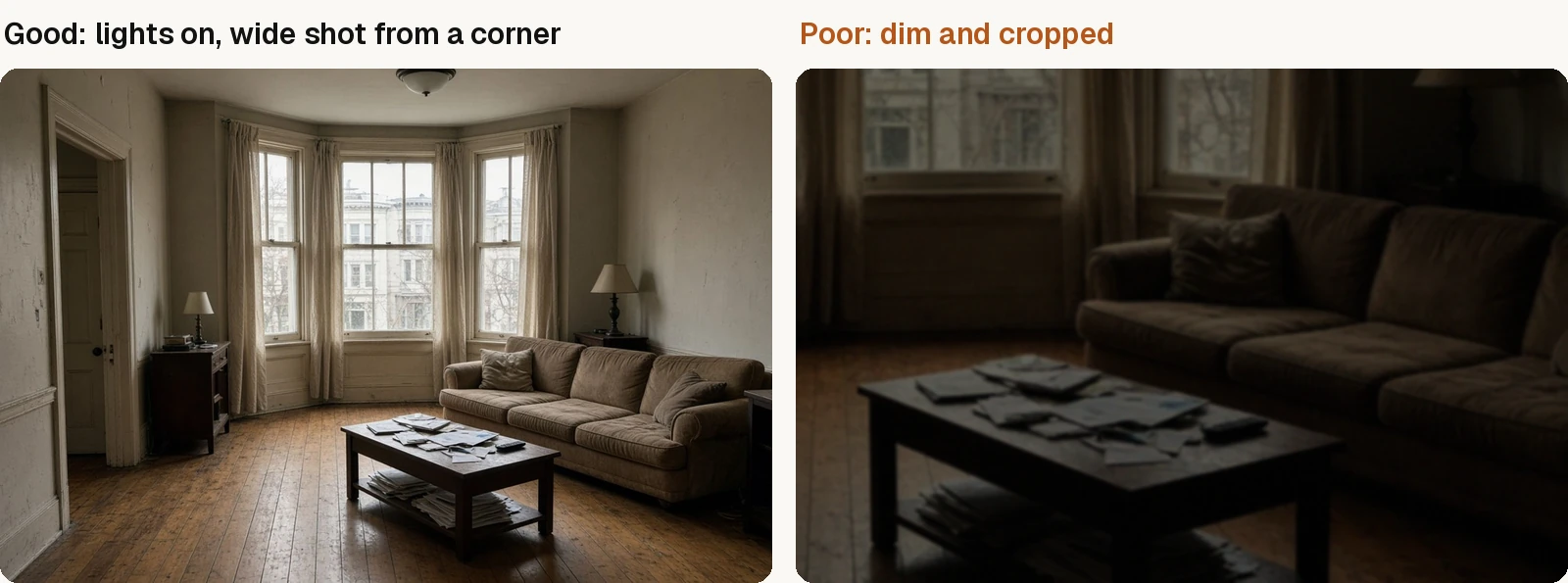
- Use clear, bright photos. Turn on the lights, open the blinds, and shoot from a corner or doorway so the whole room is in frame. The adding photos guide covers the rest.
- Keep one style across the home. A consistent look from room to room makes the plan feel cohesive and easier for a seller to picture. See choosing a style.
- Pair images with numbers. A beautiful after image without a rough cost can raise expectations the budget can't meet. Show both, in a prep plan your seller can act on.
- Treat estimates as estimates. Use them to set priorities, then get real quotes from contractors.
Where HomePrep AI fits
Staging is for the listing. HomePrep AI is for the listing appointment. It grew out of work with top listing agents who spent hours mocking up what a home could become, just to get a seller to say yes to the work.
Upload walkthrough photos of each room (your phone works fine) and pick one style, and HomePrep AI returns a renovation preview for every room with line-item estimates beside it. Your seller sees the finishes and the price together, and once the real work is done, you can photograph the finished rooms and stage them if they still need it.
Every subscription includes 60 room renovations per billing cycle, and you can cancel anytime. See current pricing.
See your listing's after before any work starts
Want the full walkthrough? Read how HomePrep AI works. Questions? Reach us at support@homeprepai.com.