Your seller has agreed to some prep work. Now comes the part that quietly eats weeks: getting contractor bids. One contractor can't come out until next week. Another sends a number that covers half the work. A third quotes a completely different scope. By the time you can compare anything, the listing date has slipped and the seller's enthusiasm has faded.
Most of that delay is avoidable. The fix is simple: send every contractor the same clear packet. Here is how to do it.
Why bids take so long
Bids drag for a few predictable reasons:
- The scope is vague. "Paint and some updates in the kitchen" means something different to every contractor, so each one has to come out, ask questions and guess.
- Every contractor hears a different version. If the seller describes the job one way on Tuesday and another way on Thursday, the bids won't line up.
- There's no deadline. Without a date, a small pre-listing job slides to the bottom of a busy contractor's list.
- The decision maker is unclear. Contractors don't know whether to talk to you or the seller, so questions bounce around.
Step 1: Lock the scope first
Before you call anyone, agree with your seller on exactly what is being bid. Go room by room and write it down:
- Room. Kitchen, primary bath, living room, exterior and so on.
- The work. Paint walls and trim. Replace light fixture. Swap cabinet hardware. Refinish floors.
- The finish level. Neutral paint, mid-range fixtures, match existing flooring. Be specific enough that two contractors would picture the same result.
Keep it to the work you've already decided on. Bidding on "maybe" items slows everything down.
Step 2: Add good photos
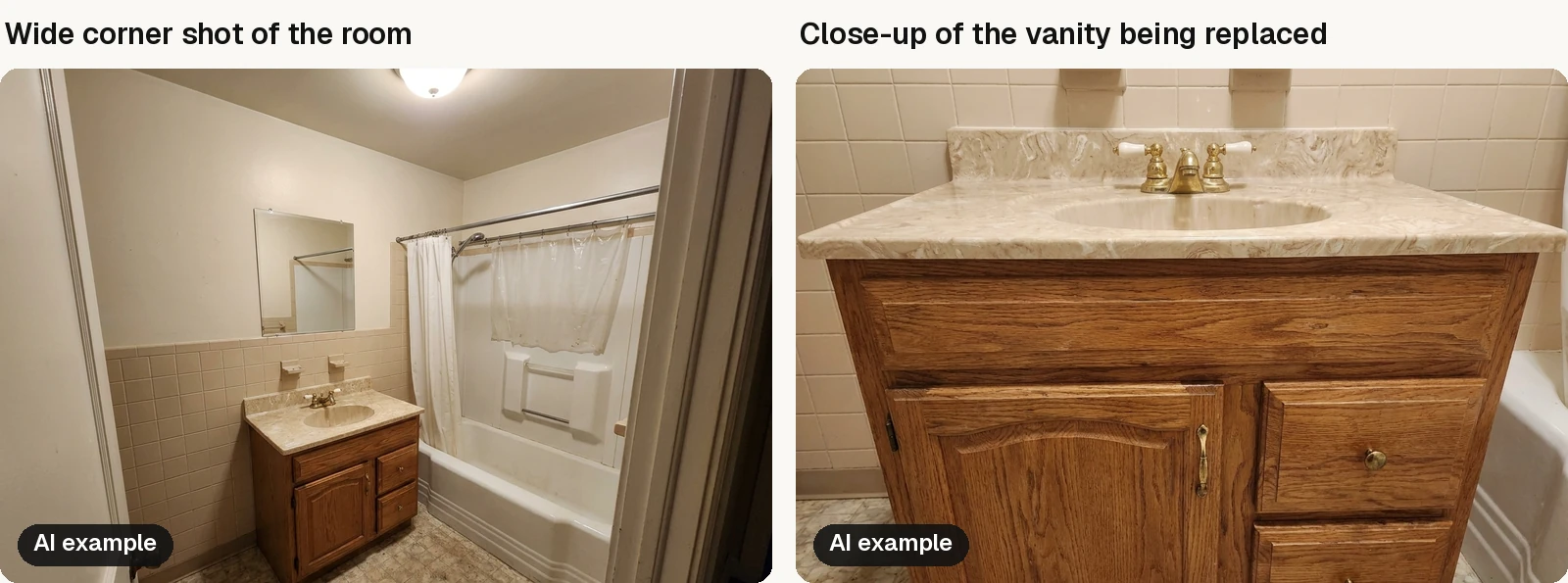
Photos let many contractors give a preliminary number before they visit, and they make the site visit faster when it happens. For each room:
- Turn on the lights and open the blinds.
- Shoot from a corner or doorway so the whole room is visible.
- Add close-ups of anything specific, like the vanity being replaced or the damaged floor area.
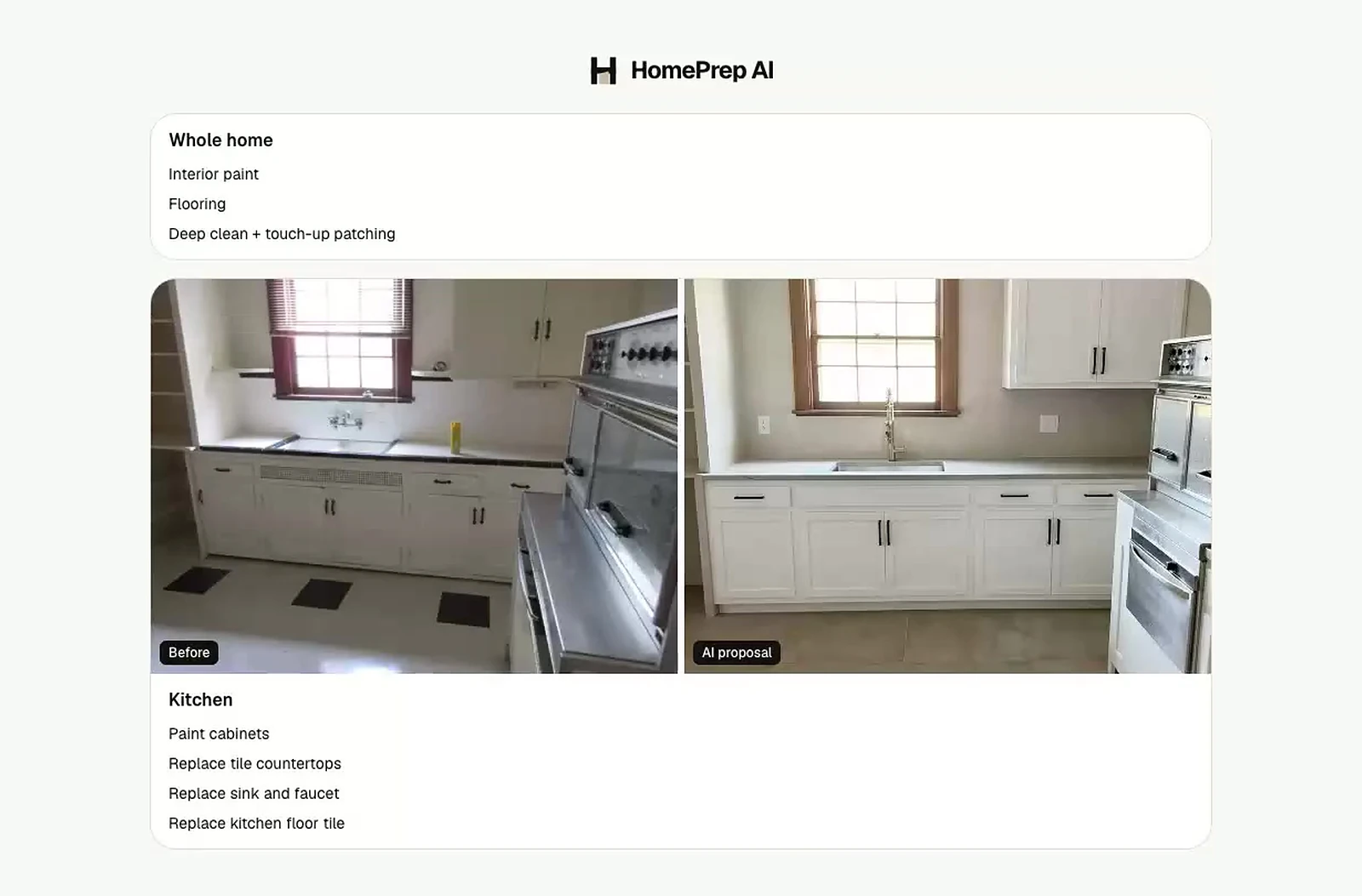
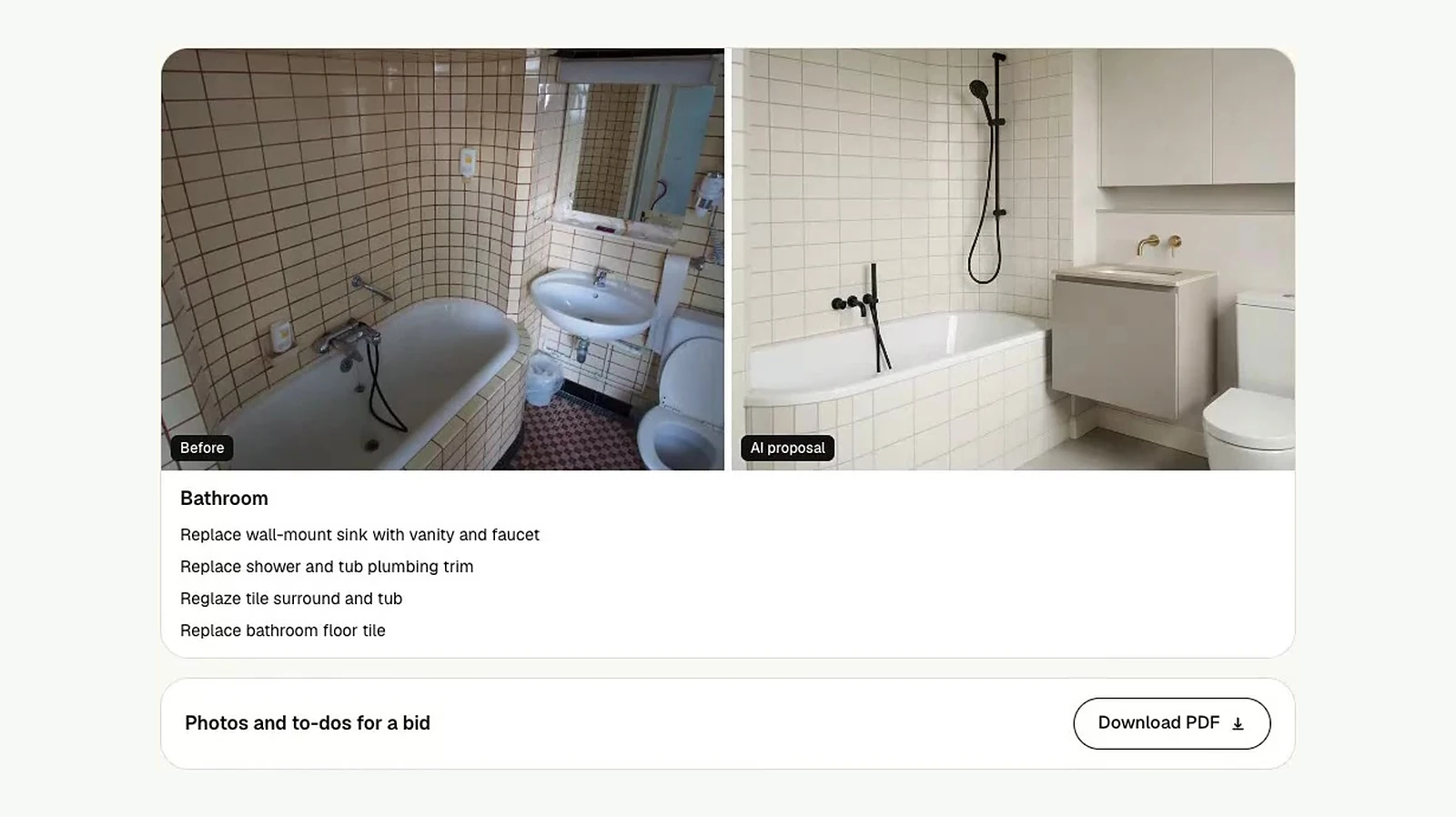
If you have before and after previews of what the room should look like, include them. A picture of the intended result answers a lot of questions up front. HomePrep AI's contractor scope includes them: each room shows the before photo next to the after, labeled "AI proposal," so nobody mistakes it for finished work.
Step 3: Leave your prices out
If you or your seller have a budget or estimate in mind, keep it out of the packet. When contractors see a number, bids can drift toward it. Sending the scope without prices gets you their honest pricing and makes it easier to compare bids side by side. In HomePrep AI, the contractor link and PDF hide every price for you.
Step 4: Send the same packet to several contractors
Send identical scopes and photos to a few contractors at the same time. Because everyone is bidding on the same work, the comparison is apples to apples. If one bid looks far off from the others, you can ask what they're seeing that the others aren't.
Include in your message:
- The property address and access details.
- Who to contact with questions (usually you, if you're coordinating).
- The date you need the bid back.
- The target start and finish dates, tied to the listing date.
Copy this bid request
Paste this into an email or text and fill in your details:
Subject: 1428 Maple St: bid request
- Property: 1428 Maple St. Lockbox on the side gate, available weekdays 9 to 5.
- Scope and photos: room-by-room scope with photos at the link below. No prices included.
- Questions to: me, by text or email. I'm coordinating for the seller.
- Bid due: Thursday at 5 pm. Please list each scope item separately and note anything excluded.
- Target dates: start Monday the 12th, finish by Friday the 16th, ahead of listing photos on the 19th.
Step 5: Set a deadline and follow up once
Give a clear, reasonable deadline for bids. A short, friendly reminder a day before the deadline is usually enough. Contractors who can't meet a simple deadline on a bid are telling you something about how the job might go.
Step 6: Compare, then decide with your seller
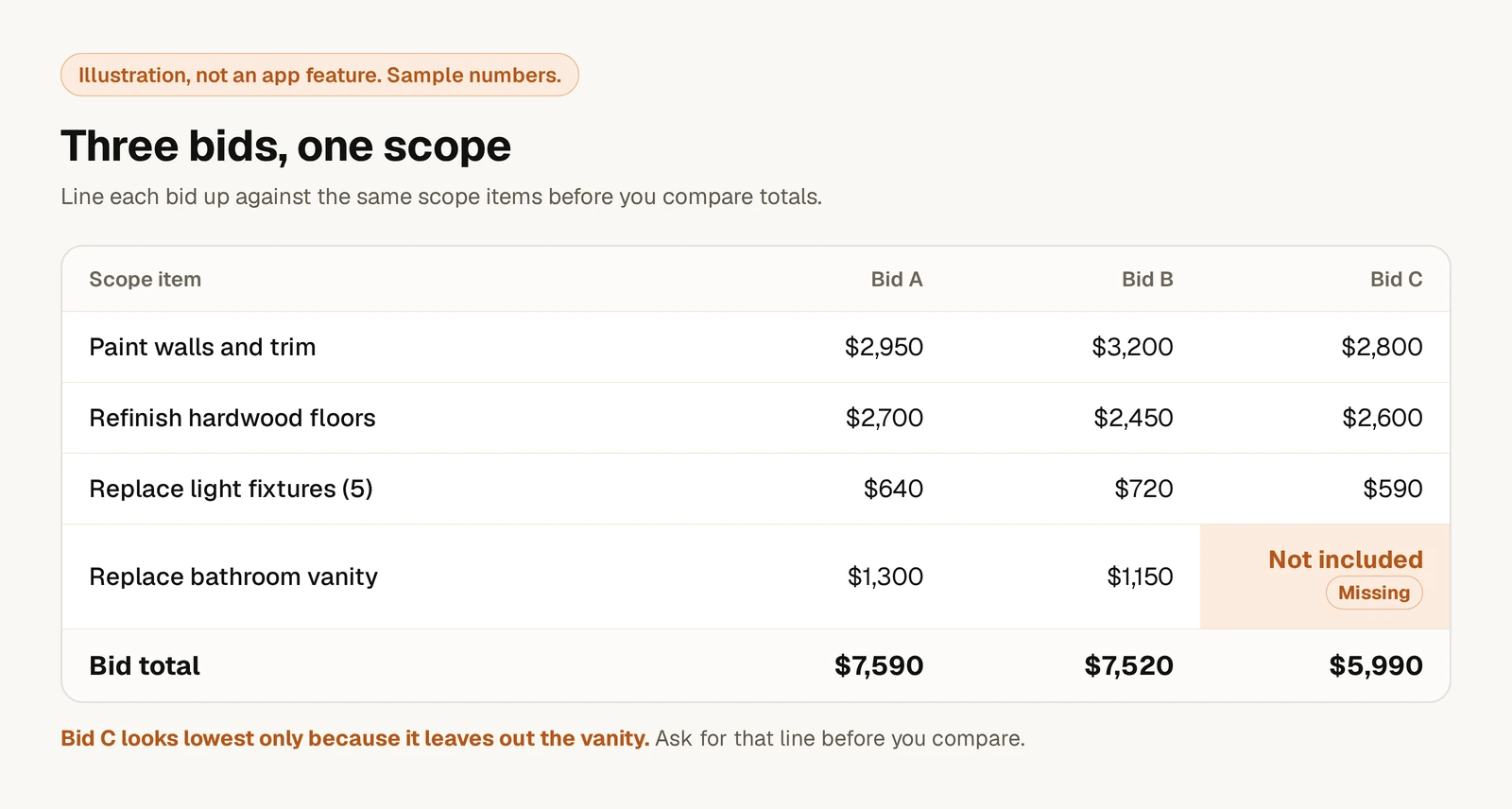
When bids come in, line them up against the scope. Check that each one covers every item, note anything excluded, and ask about timing. Then sit down with your seller, look at the totals next to the plan, and decide what moves forward. If the total is higher than expected, trim from the optional items in your prep plan rather than pushing the listing date.
A few habits that help
- Build a short list of reliable contractors for common pre-listing work like painting, flooring and handyman jobs.
- Keep the scope in one place so updates don't get lost across text threads.
- Respect their time. Clear scopes and quick decisions make contractors happy to bid on your next listing.
Let HomePrep AI draft the scope
Writing a clear scope with photos for every room is the slow part. HomePrep AI writes the room-by-room scope with photos for you, usually within a few minutes of uploading your walkthrough photos, then gives you a contractor link with prices hidden and a seller link with prices shown. Every contractor gets the same packet, and the bids still come straight back to you, so you stay the one coordinating.
Every subscription includes 60 room renovations per billing cycle, and you can cancel anytime. See current pricing.
Create your first contractor scope
See the launch post for a quick tour. Questions? Email support@homeprepai.com.