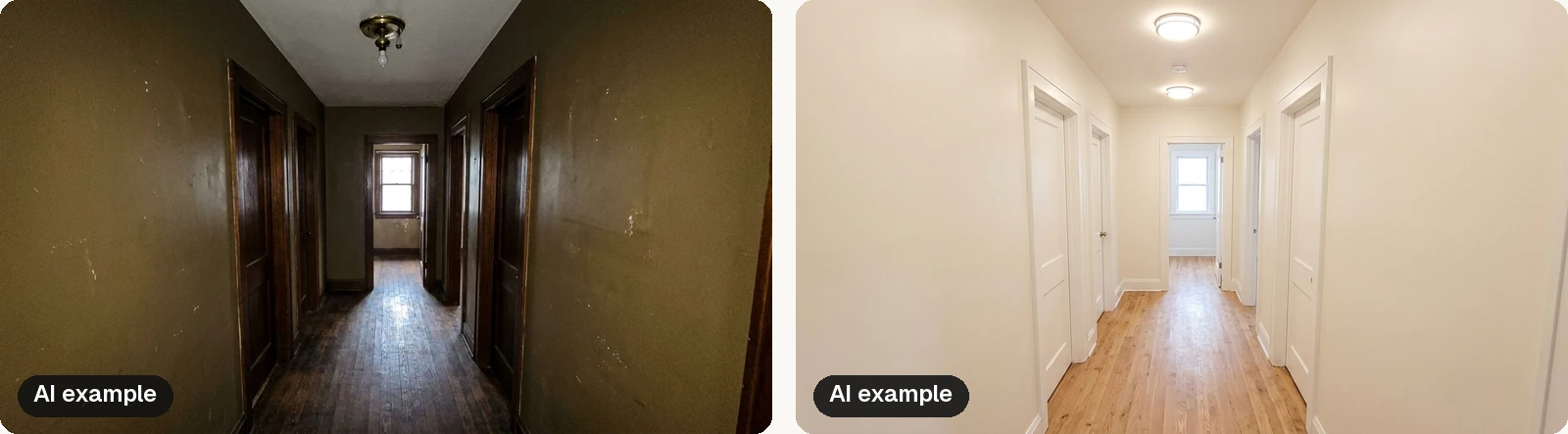
You walk the house with your seller and you can see exactly what it needs. Paint the dark hallway. Swap the brass light fixtures. Refresh the front entry. You say all of it out loud at the kitchen table, the seller nods, and two weeks later almost nothing has happened.
That is not because sellers don't care. It's because a spoken list is hard to act on. They can't picture the result, they don't know what it will cost, and they aren't sure which items actually matter. A written, visual plan tied to a date fixes most of that. Here is a simple way to build one and present it.
Why prep plans stall
Most prep plans fail for one of four reasons:
- Too many items. A long list feels like a remodel, and big projects get postponed.
- No priorities. If everything sounds equally important, the seller picks the easy items or the fun ones, not the ones buyers will notice.
- No picture of the result. People who have lived in a home for years see it the way it is. "Lighter walls" means nothing until they see the room with lighter walls.
- No budget. Uncertainty about cost is the fastest way to stop a conversation. When sellers don't know if a project is a weekend or a fortune, they often default to listing as is.
A good plan answers all four on a page or two.
Sort everything into three groups
Keep it simple enough that a seller could explain it to someone else later.
Must do. Safety items, anything broken, active damage, and anything that will clearly show up in photos or an inspection. Deep cleaning and decluttering belong here too.
Worth doing. The refresh work that changes how the home feels: neutral paint where walls are bold or scuffed, updated light fixtures and hardware, flooring touch-ups, and curb appeal at the front door.
Optional. Nice upgrades that help if time and budget allow, but won't make or break the listing.
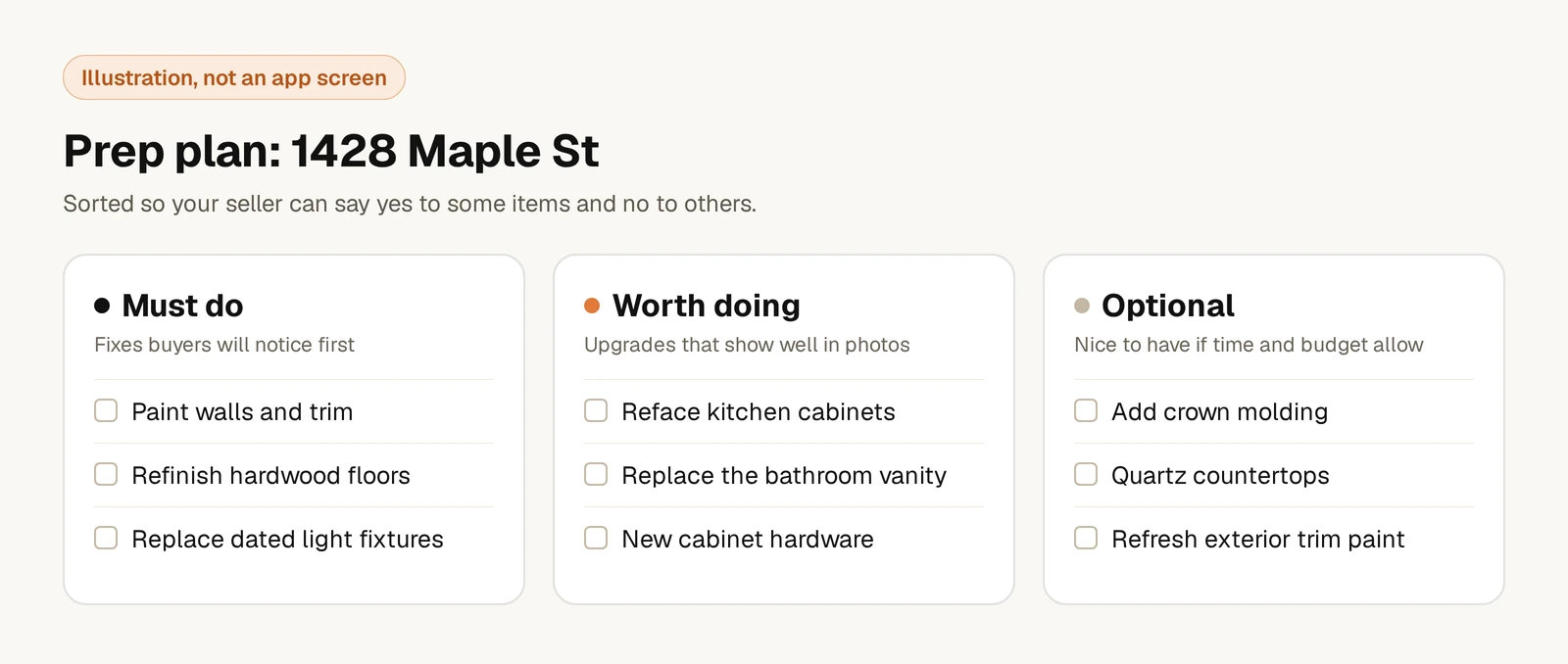
Three groups let your seller say no to the optional items without ignoring your advice, which makes them more likely to say yes to the first two.
Show, don't just tell
The single biggest shift you can make is showing the seller what a room could look like. A before and after of the living room with lighter paint and new lighting does more than ten minutes of description.
Use inspiration photos from similar homes or an AI preview of their actual rooms. Either way, label concept images clearly so nobody confuses a preview with finished work.
Put a rough number on it
Sellers want to know what the work will cost before they agree to it. Give them line-item estimates by room and a total, and be clear that these are planning estimates, not quotes. Real pricing comes from the contractor who sees the job.
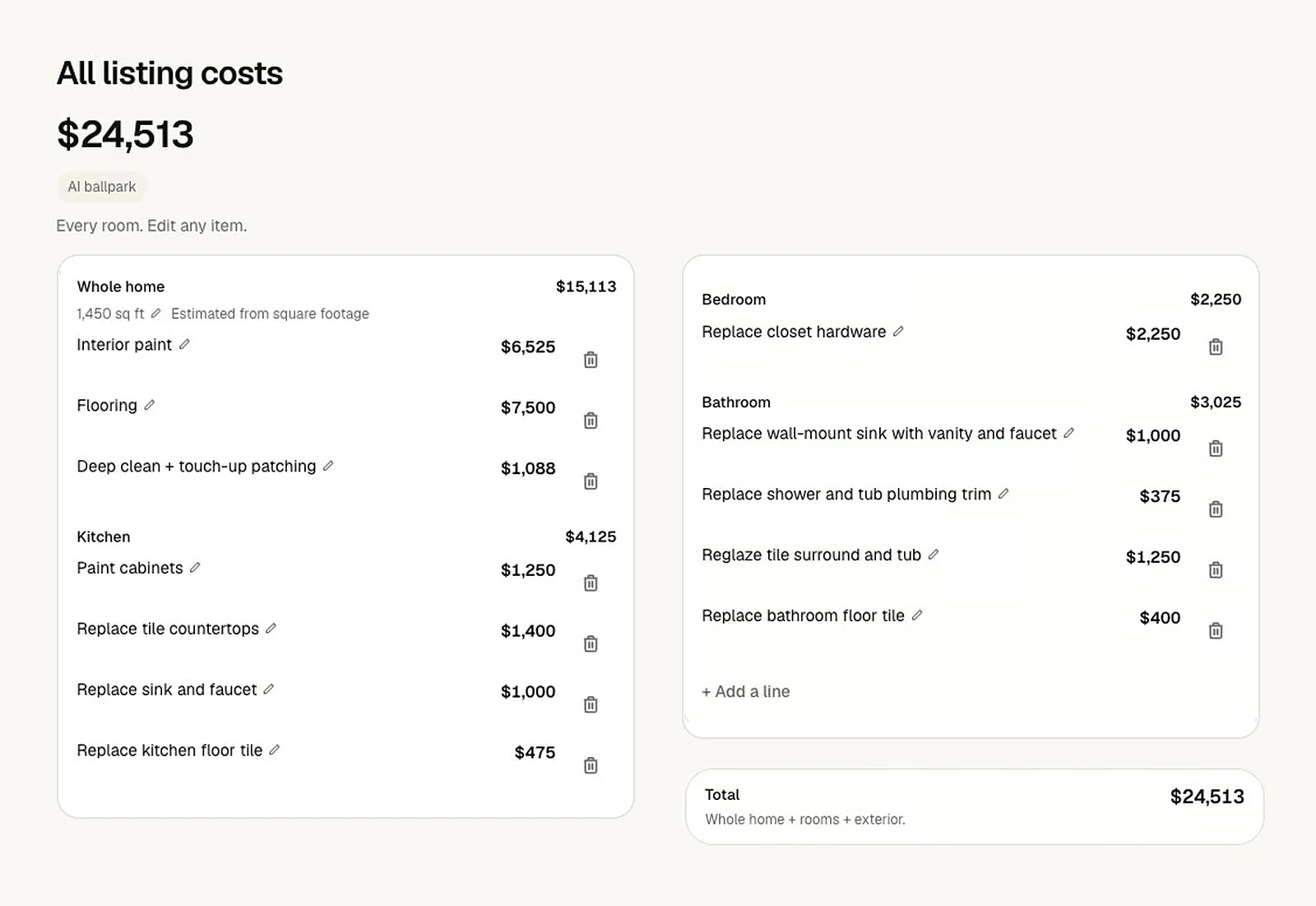
Even a rough range changes the tone. "The paint, lighting and entry work is the biggest visual change for the money" lands very differently than "you should probably paint."
A short script for the conversation
You don't need a long pitch. Something like this works:
Try this: "Here's what I'd do, roughly what it might cost, and what I'd skip. These first items are must do. These next ones are where I think you'll see the most difference in photos and showings. The rest is optional. Let's pick a listing date and work back from it."
Then let the seller react. Their questions tell you what they're worried about.
Two versions, two audiences
Once the seller agrees on the scope, you need the same plan in two forms.
- The seller version has the visuals, the line items and the prices, so they can make decisions and see the total.
- The contractor version has the same rooms and the same work, with prices hidden, so contractors bid on the scope without anchoring to your numbers.
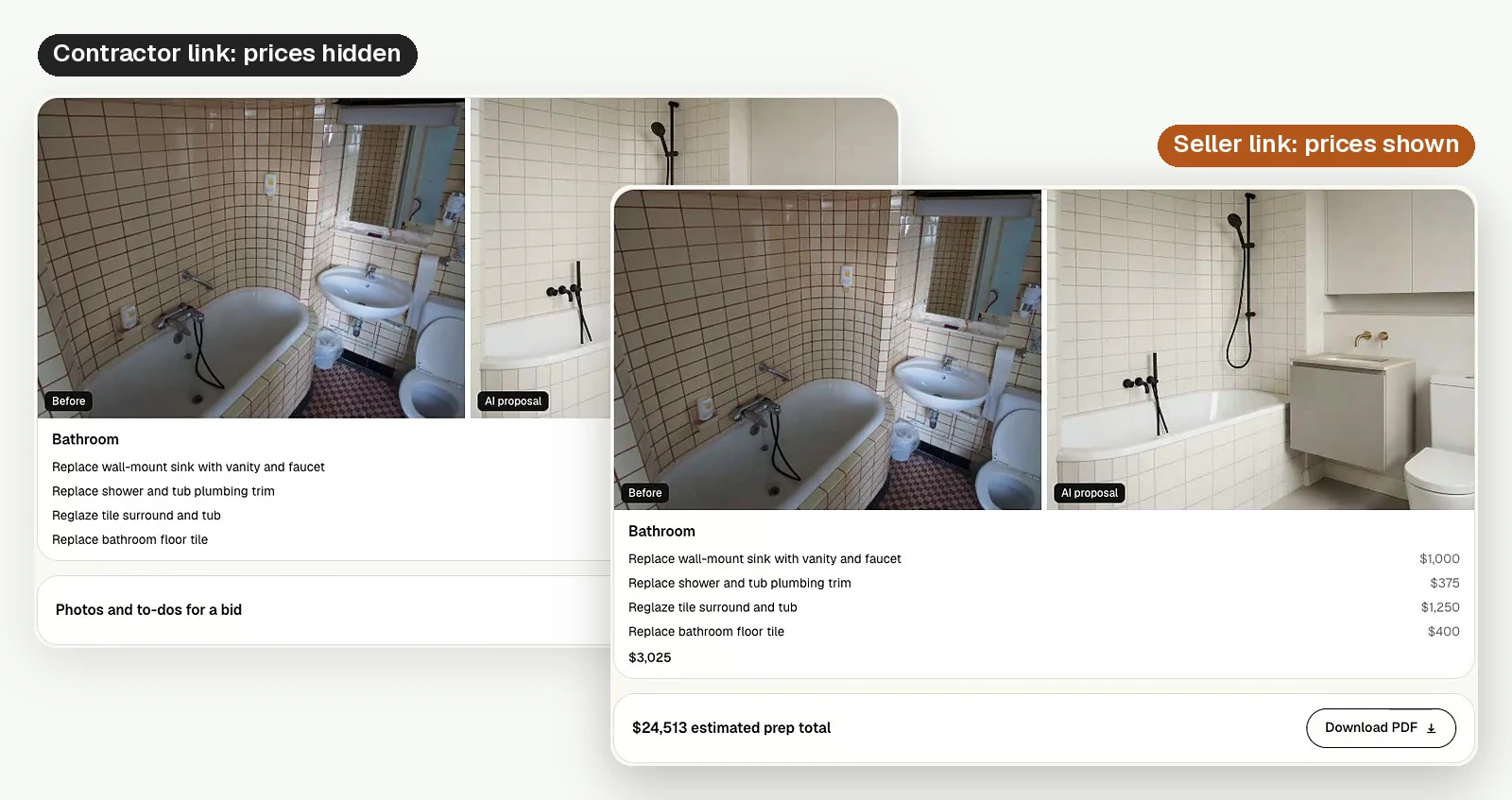
Keeping one plan and two views means everyone is working from the same list.
Follow up on a timeline
Tie check-ins to the listing date. A quick message when bids should be in, another when work should start, and a walk-through before photos keeps things moving without nagging. A simple two-week rhythm looks like this:
- Day 0: Share the plan with your seller and send the scope to contractors.
- Day 3: Bids are due. Review them with your seller.
- Day 7: Work starts on the must do and worth doing items.
- Day 14: Final walk-through, then listing photos.
If something slips, you can move an item from "worth doing" to "optional" instead of moving the date.
Build your next plan faster
The hard part of all this has always been pulling the visuals and numbers together while the seller is still engaged. HomePrep AI came out of work with top listing agents who spent hours showing sellers a home's potential, so it builds the visual half of this plan for you: a before and after preview of each room, line-item estimates and a total, and a seller link you can send the same day. You still decide what is must do, worth doing and optional. HomePrep AI makes those calls easier for your seller to see.
Every subscription includes 60 room renovations per billing cycle, and you can cancel anytime. See current pricing.
New to HomePrep AI? Read how it works, step by step. Questions? Email us at support@homeprepai.com.