If you list homes, you know this moment. You walk a seller through their house and you can see it clearly. Fresh paint in the living room, new lighting in the kitchen, the dated bathroom vanity swapped out. The house could show so much better with a little work.
The seller can't see it. They see the house they have lived in for years, and they want to know one thing: what will it cost? So you call a contractor, wait for a walkthrough, and wait again for a quote. Days go by. The momentum you built at the listing appointment fades, and the conversation about light renovation turns into "let's just list it as is."
I built HomePrep AI to close that gap.

Why we built it
Over the past year at HomeInsight AI, we worked closely with top listing agents. To show a seller what a home could become, they were spending hours on it: pulling inspiration photos, mocking up rooms, and chasing contractors for rough numbers. They told us they didn't need another dashboard. They needed something simple they could use on the go, right from their phone.
HomePrep AI is that tool. It gives you a before and after for every room, with line-item cost estimates, so your seller can picture the result and trust the number before the conversation goes cold.
How it works
- Sign in and add your listing. Upload your home photos, then enter the address and square footage.
- Add a contractor estimate if you have one. This step is optional. If you have a comparable estimate from a contractor you trust, add it to refine the pricing.
- Choose one style for the whole listing. Pick from 8 looks, including Warm contemporary, Modern minimal, Scandinavian, Coastal bright, Mid-century, Industrial loft, Traditional and Classic SF. One style keeps the whole home consistent from room to room.
- Get your before and after images. HomePrep AI creates an after image for each room, with line-item cost estimates and a total for the project.
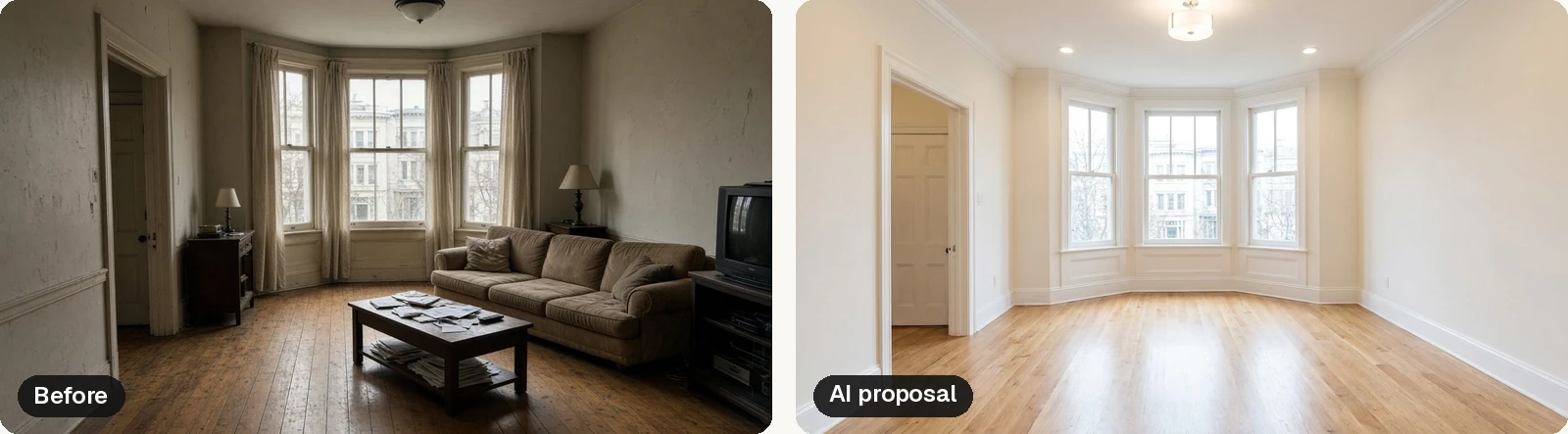
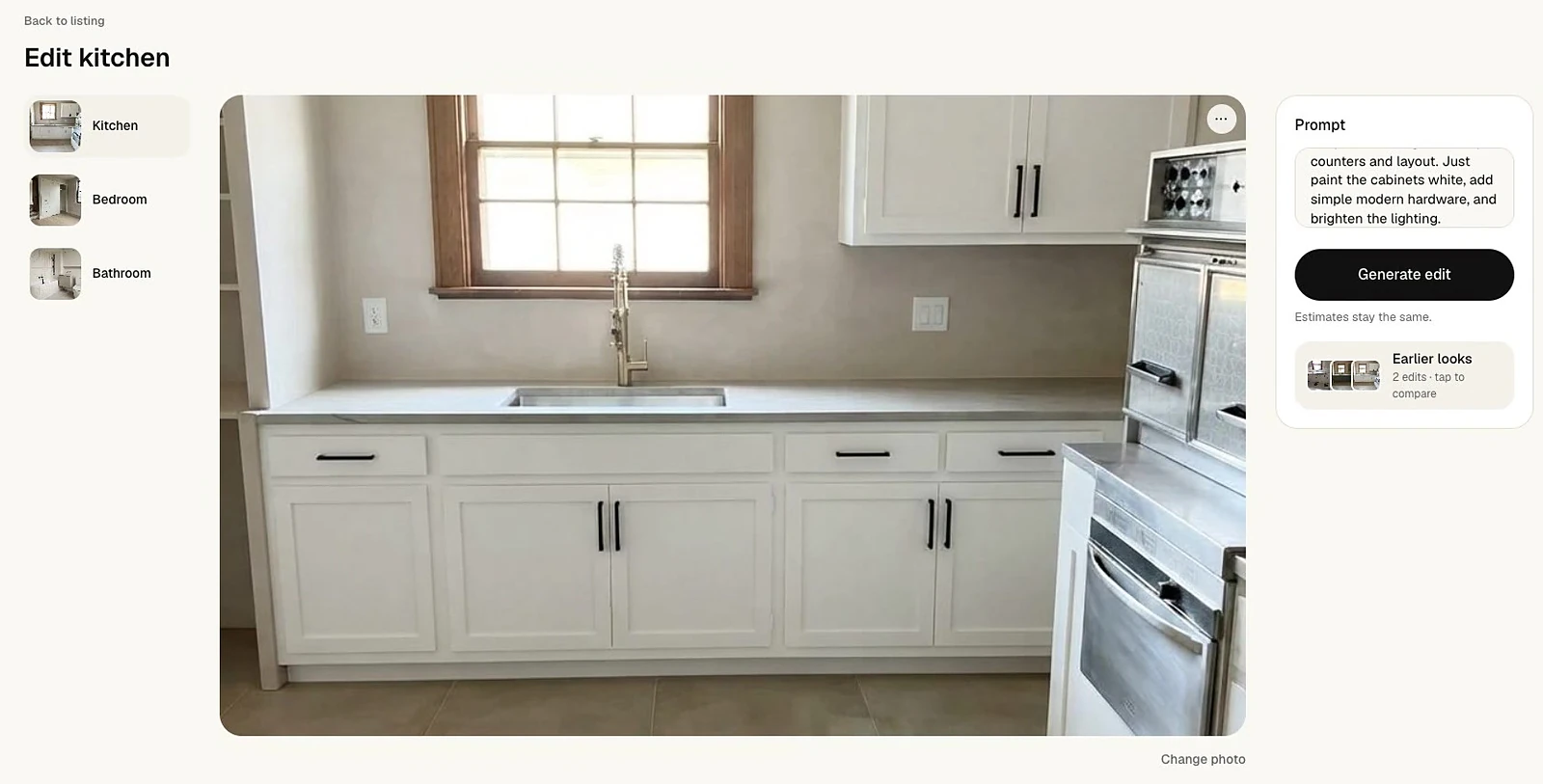
- Refine in plain English. Want a different take on a room? Just type what you want, like "Keep the cabinets, and just paint them white." You can compare earlier looks and keep the one that fits.
What you send your seller vs. your contractor
Once a plan is ready, you can share it two ways.
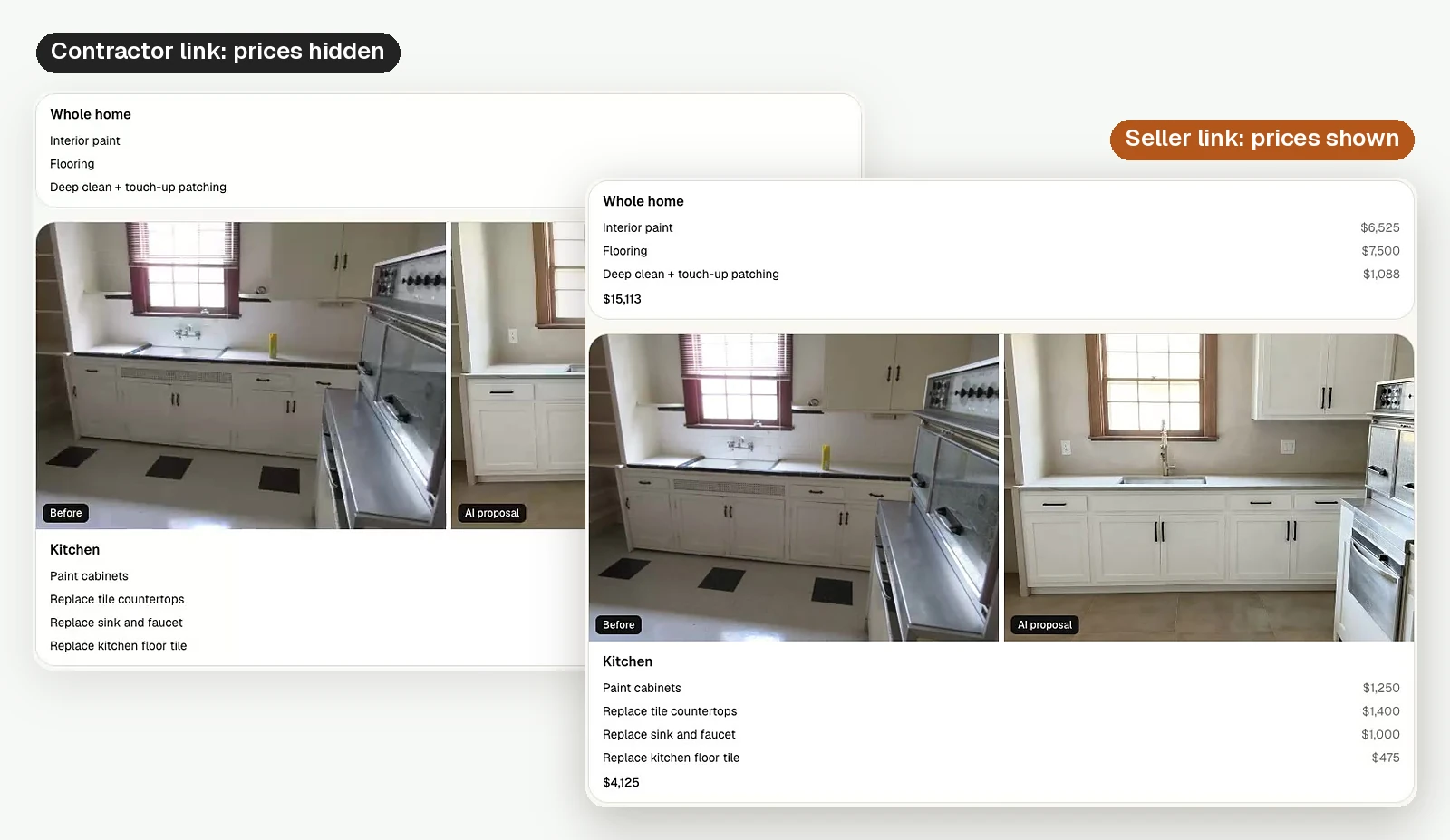
The seller plan includes the before and after images, the line items and the prices. It gives your seller a clear picture of what the home could look like and roughly what it would take to get there. It's a great thing to send after a listing appointment, while the conversation is still fresh.
The contractor scope shows the same rooms and the same work, with prices hidden. Contractors see exactly what you have in mind and can bid on it without being anchored to a number. You get comparable bids, and your seller gets real quotes to weigh against the plan.
A note on accuracy and comps
I want to be straight about this. HomePrep AI estimates are estimates, not contractor quotes. They are meant to help you and your seller decide what work is worth doing and set expectations before anyone picks up a hammer. Final pricing always comes from the contractor who does the job.
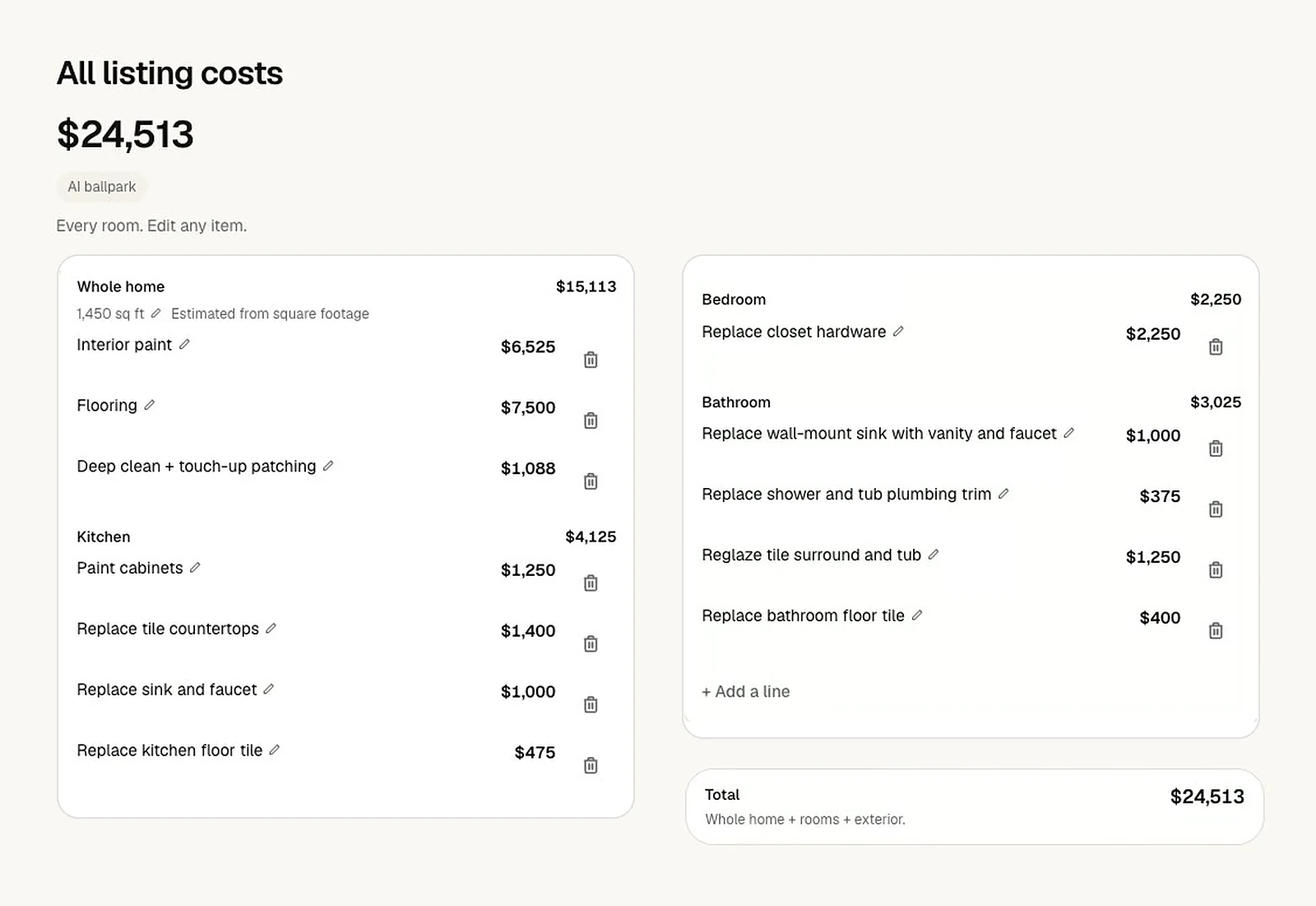
If you want tighter numbers, add a comparable contractor estimate when you set up the listing. That's the best way to bring the pricing closer to what you see in your market. And when the bids come back from the contractor scope, you'll have real numbers to compare.
Launch pricing
For the first 20 agents, HomePrep AI is $9.99 a month for as long as you stay subscribed. After that, it's $19.99 a month. Your subscription includes 60 renovations per billing cycle. You can cancel anytime from Account, then Manage billing.
If you want to see it in action first, the Resource Center has a 2-minute tutorial and step-by-step guides for every part of the flow.
New here? Watch the 2-minute tutorial.
I'd love to hear how it works on your next listing. Prep it. Price it. List it.
Anthony Do
Founder, HomePrep AI